Skip to main content Skip to footer
Equaze Help Documentation

Login & Registration

  • Registering
  • Logging in
  • Password Reset

Account Payments

  • Direct Debit
  • Creating a Beneficiary
  • Bulk Creating Beneficiaries
  • Adding Beneficiary Address
  • Viewing Beneficiary Details
  • Editing a Beneficiary
  • Authorising Beneficiary Creation and Updates
  • Deleting a Beneficiary
  • Making a Single Payment
  • Making Bulk Payments
  • Authorising a Payment

Cards

  • Check PIN Code
  • Activate a card account

Transfers

  • Transfer Between Current Accounts in Same Currency
  • Transfer from Current Account to Card
  • Authorising a Transfer

Statements

  • Download Transaction Data Excel
  • Download Billing Statement
  • Download Monthly Statement

User Management

  • PKI Credential User
  • Business Permission Management

Profile Management

  • Security Management
  • Update Password
  • Update SMS Authentication
  • Update Your Multi-Factor Authentication
  • Update Customer Service Security Code
  • Update Access Code
View Categories
  • Home
  • Guide
  • User Guide
  • Profile Management
  • Update Customer Service Security Code

Update Customer Service Security Code

Customer Service Security Code is a code used to verify a user’s identity when contacting Customer Service. Each customer must set up their own Customer Service Code to provide to Customer Service when requesting support.

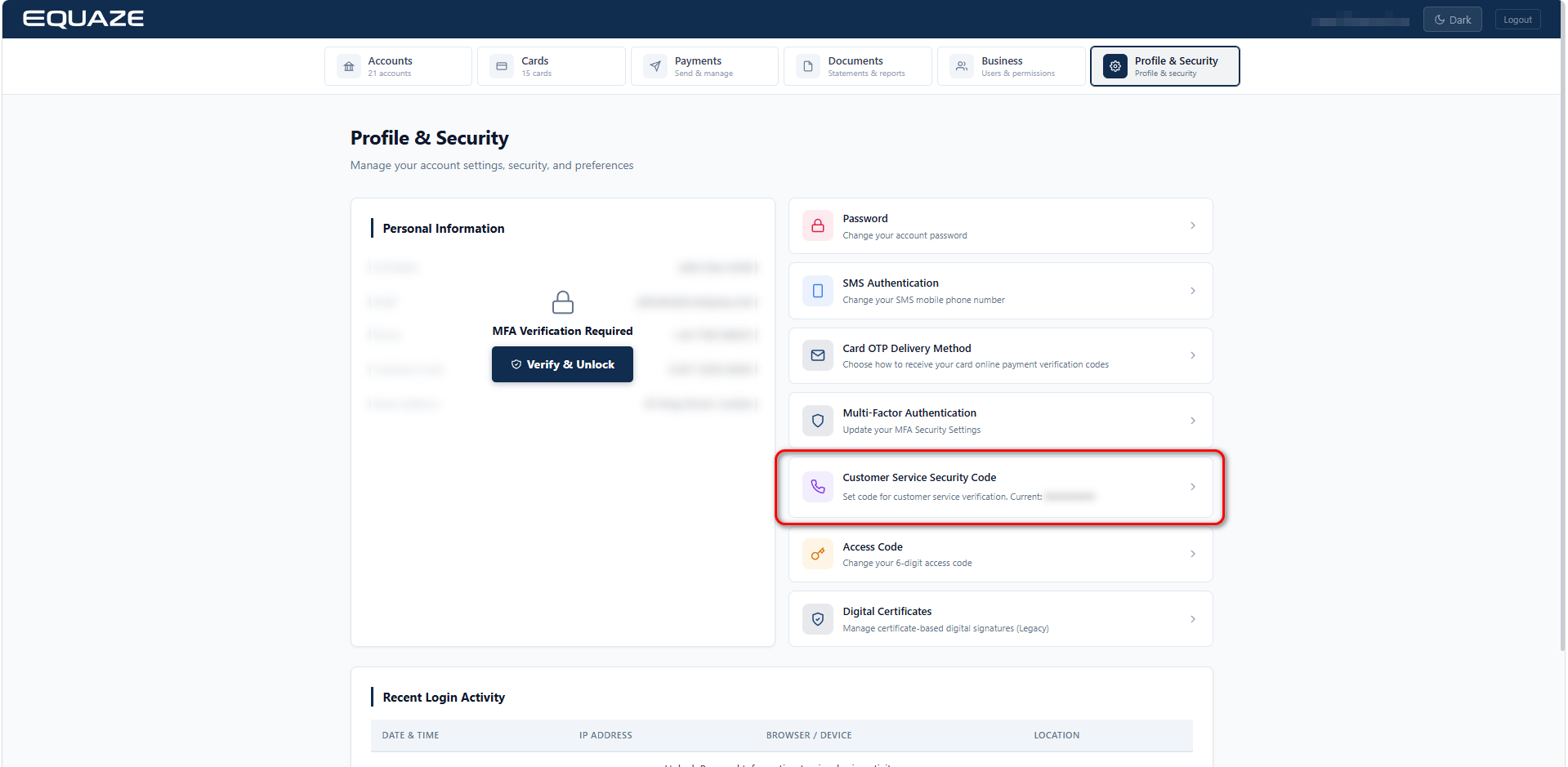
Access Customer Service Security Code

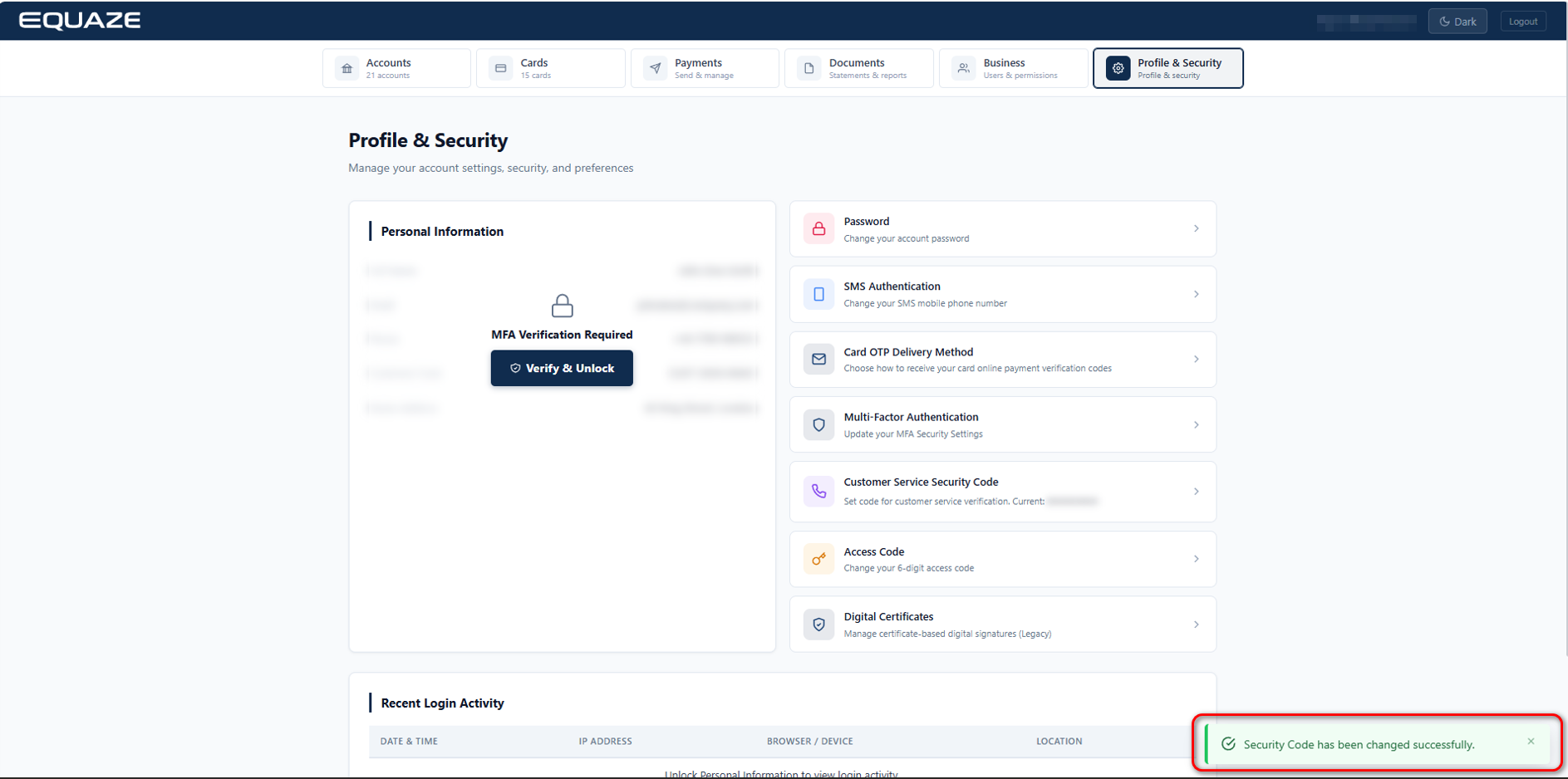
On Security Management page, click on “Customer Service Security Code” to access Customer Service Security Code details.
Update Customer Service Security Code

On the “Customer Service Security Code” page, you’ll encounter fields for “New Security Code”, “Repeat Security Code” and “MFA Verification Code”.
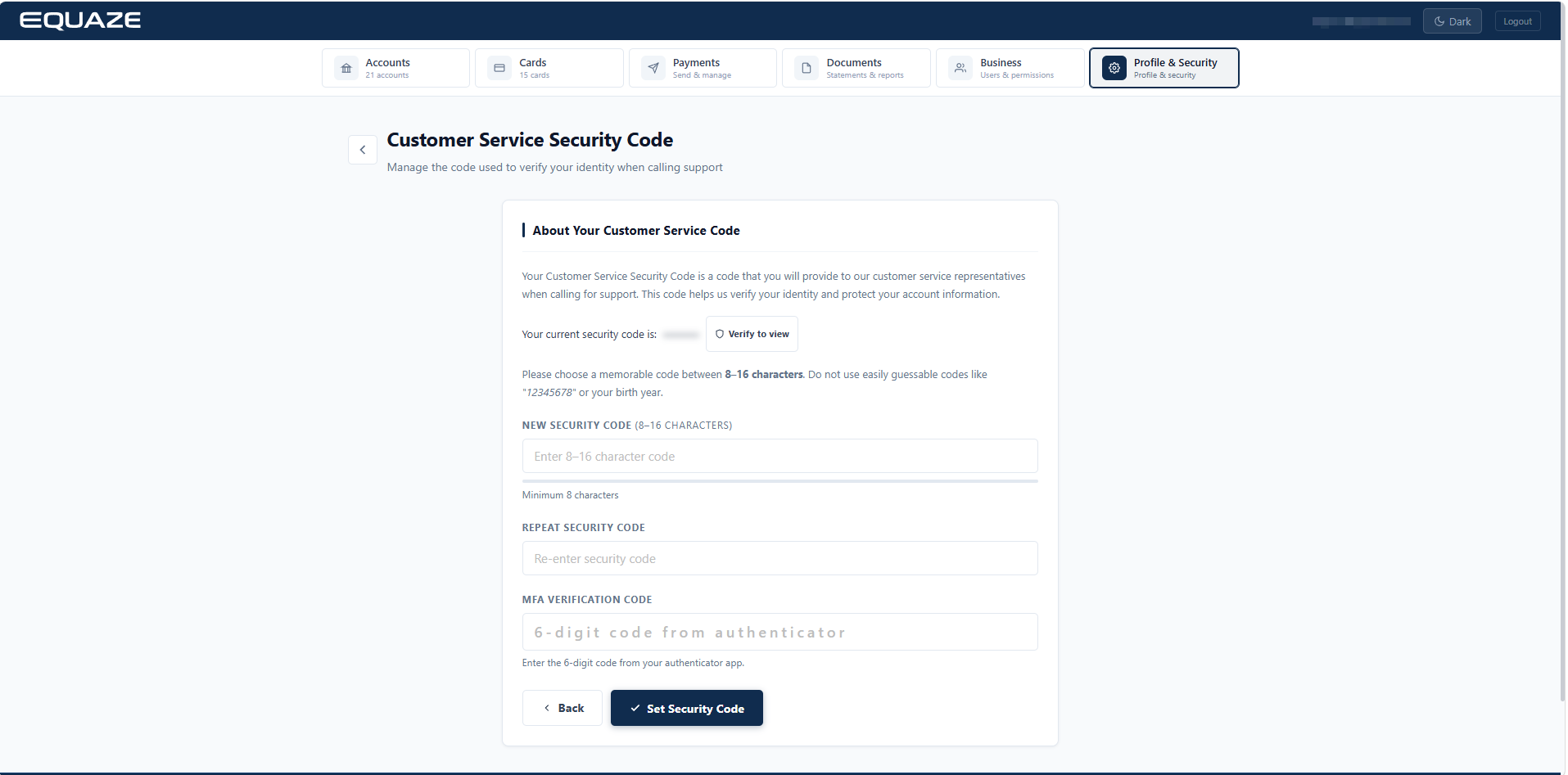
Enter your new valid Security Code to “New Security Code” and “Repeat Security Code” fields.

Enter your MFA code to “MFA Verification Code”.

Click on “Set Security Code” button to complete the process.
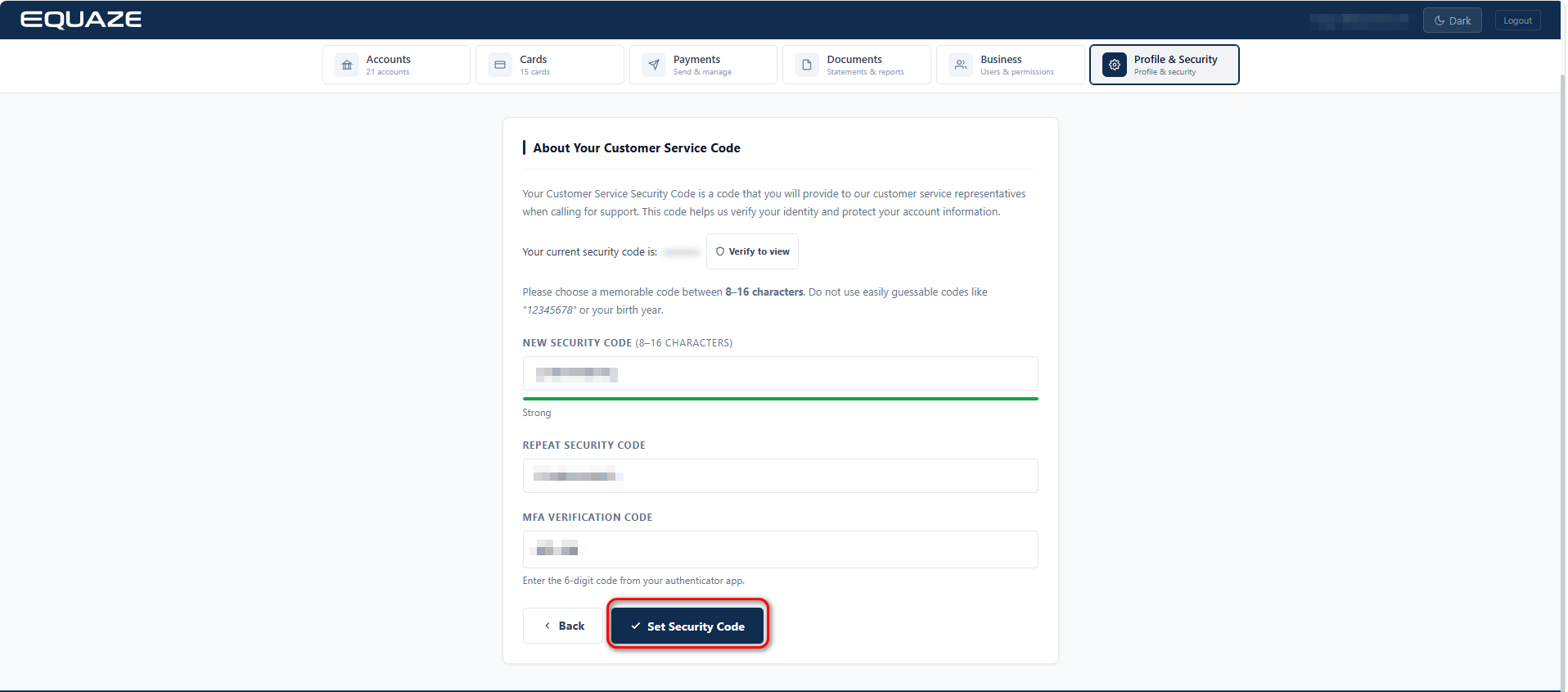
A success message confirming “Customer Service Security Code” will be displayed.
What are your Feelings

Share This Article :

  • Facebook
  • X
  • LinkedIn
  • Pinterest
Update Your Multi-Factor AuthenticationUpdate Access Code
Table of Contents
  • Access Customer Service Security Code
  • Update Customer Service Security Code
"Equaze" is a trading style of Enumis Ltd. Enumis Limited is authorised and regulated by the Financial Conduct Authority as an Electronic Money Institution (FRN 900028) and authorised and regulated by the Financial Conduct Authority for Consumer Credit (FRN 724110) Company Registration E&W 7441513. Enumis Mastercard Products are issued by Enumis Limited pursuant to a license from Mastercard International Incorporated. Mastercard and the Mastercard Brand Mark are registered trademarks of Mastercard International Incorporated.
Equaze Help Documentation
© Copyright Equaze