Access Your Multi-Factor Authentication
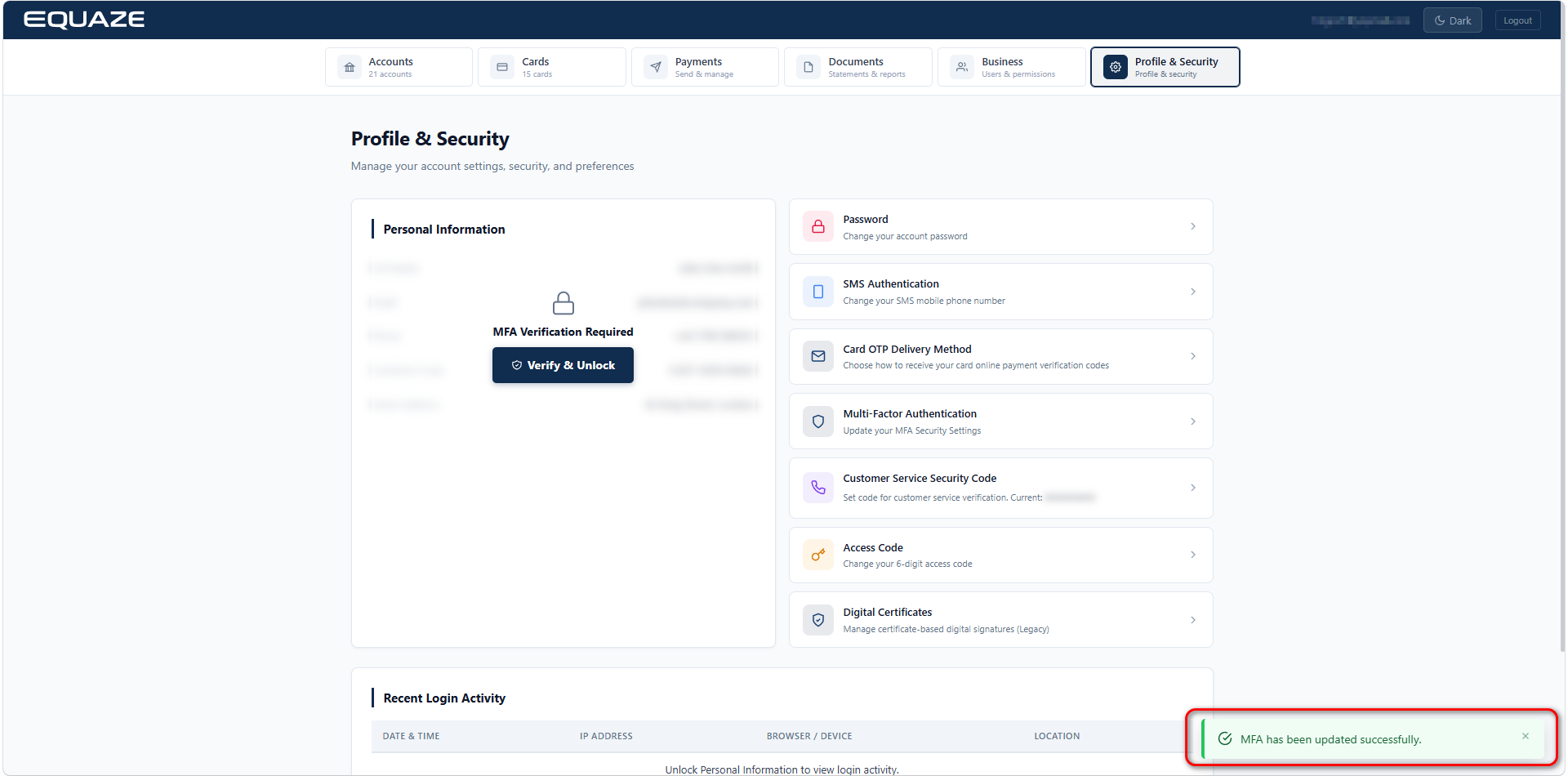
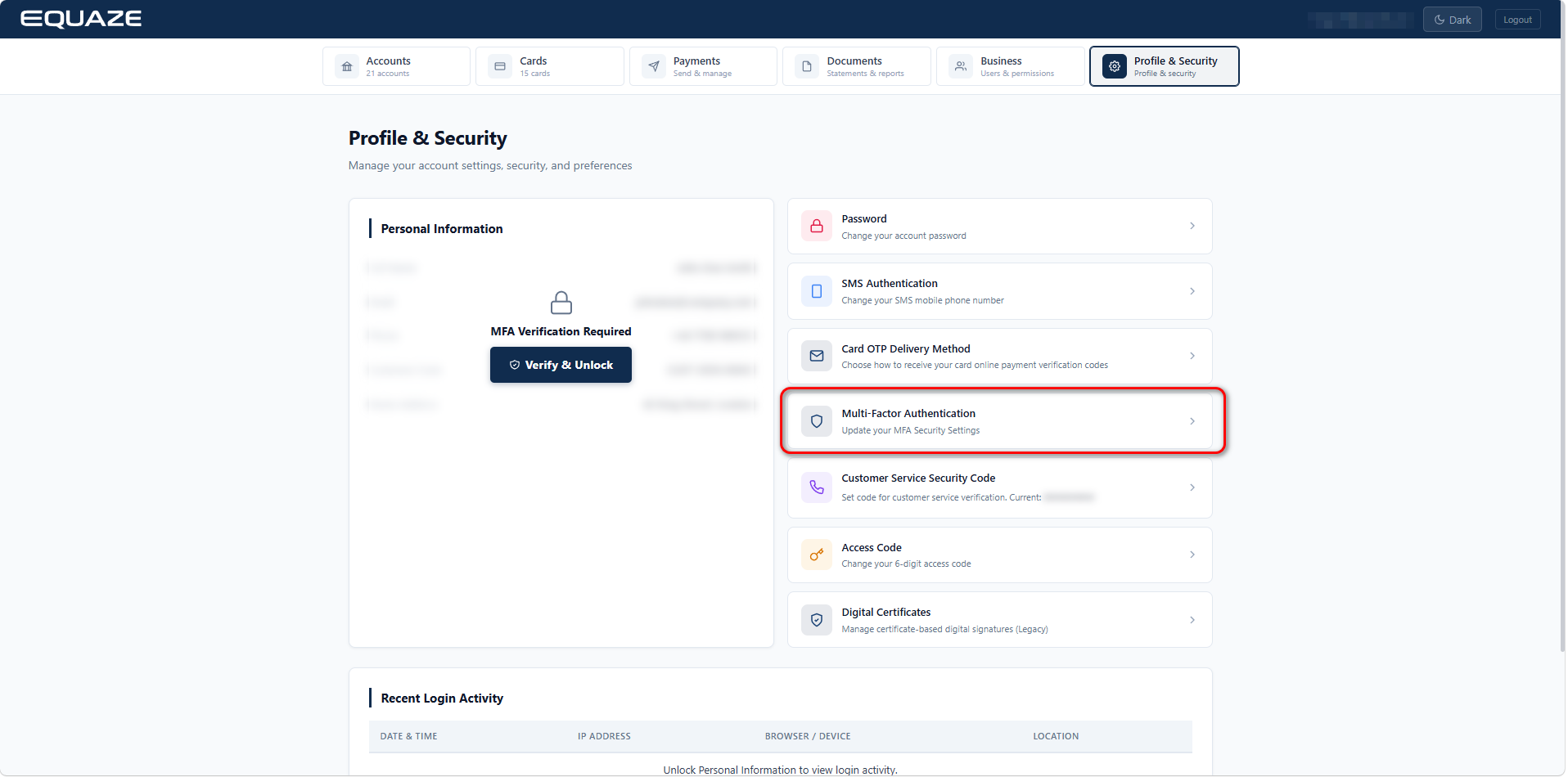
On Profile & Security page, click on “Multi-Factor Authentication” to access Multi-Factor Authentication details.
Update Multi-Factor Authentication
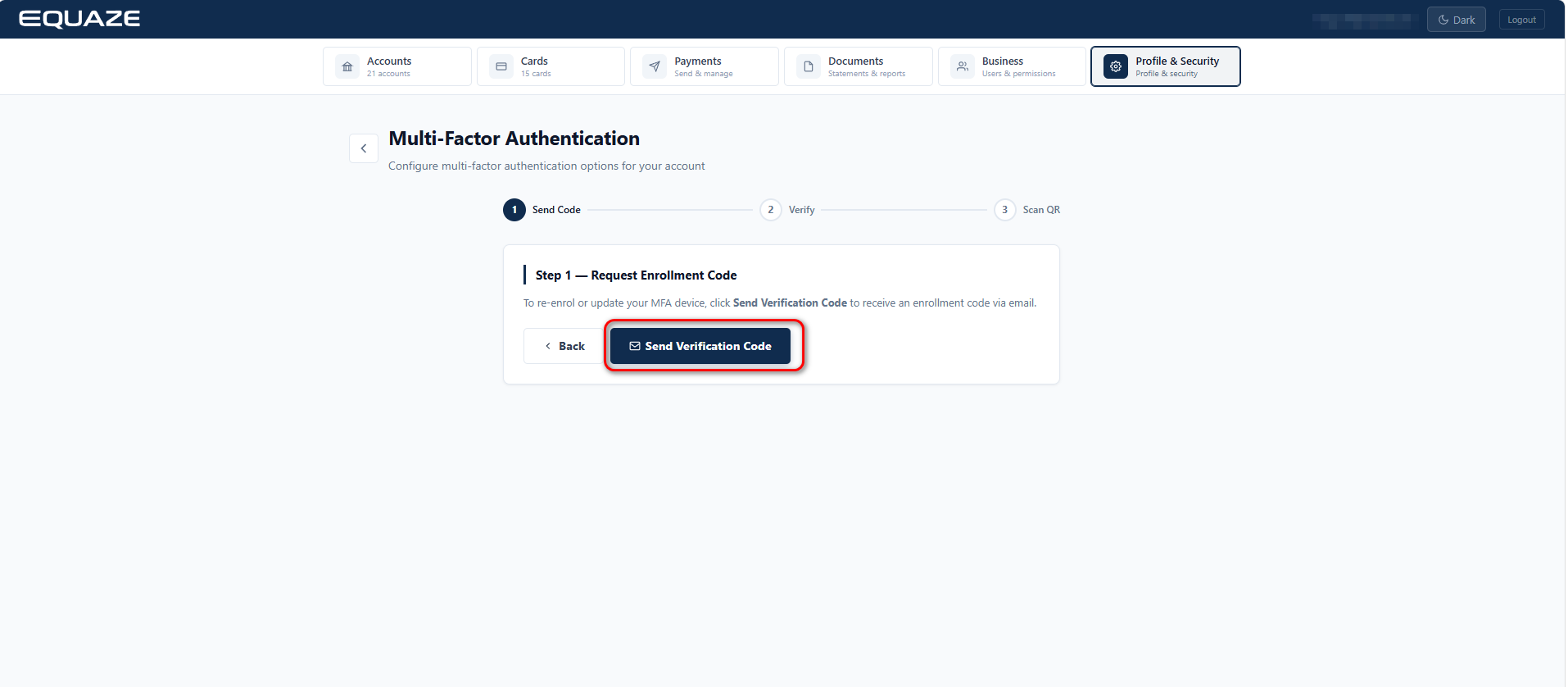
On the “Multi-Factor Authentication” page, click on “Send Verification Code” button to receive your MFA enrollment verification code via email.
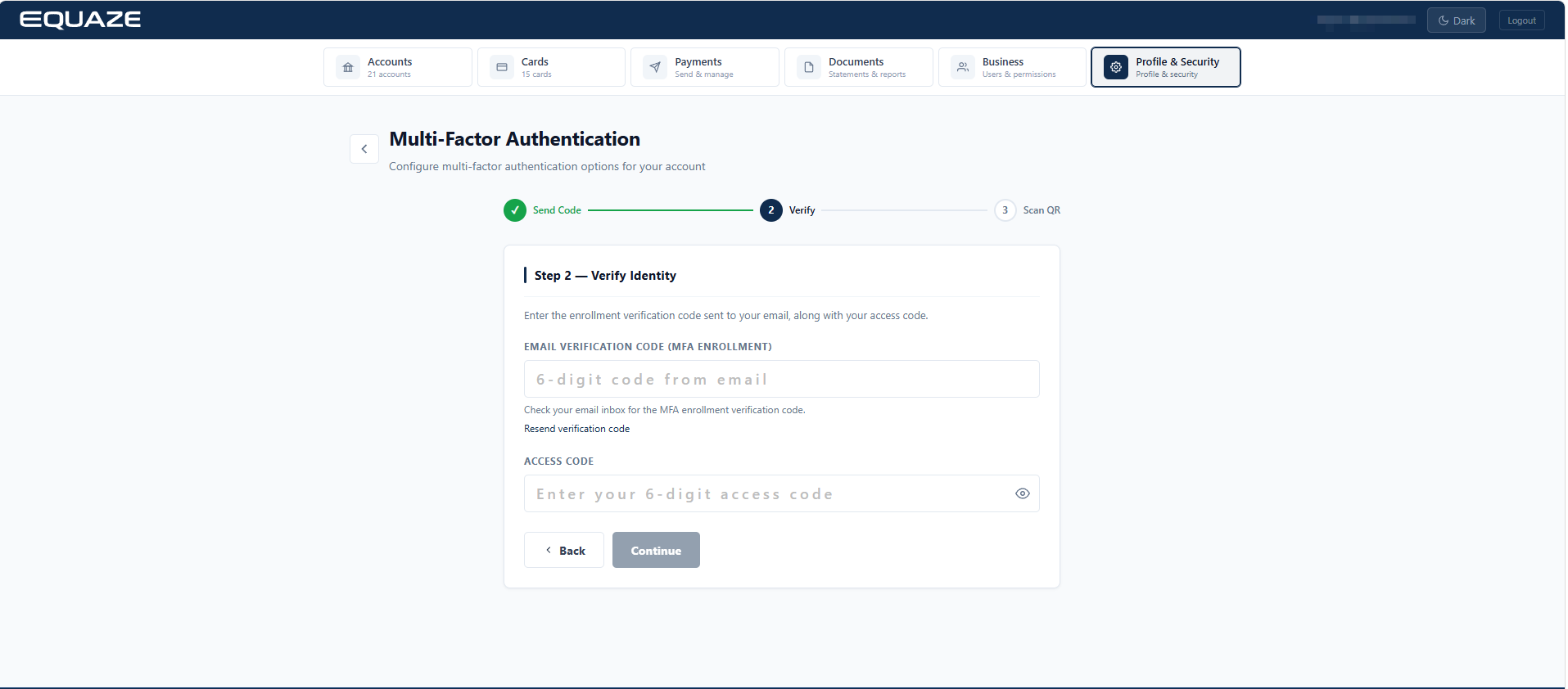
Enter Email Verification Code received on your email address to Email Verification Code field.
Enter your Access Code to Access Code field.
Click “Continue” button

Scan the QR code or copy the code to your device to generate an MFA Code.
Enter a valid MFA Code from your device to “MFA Verification Code” field.
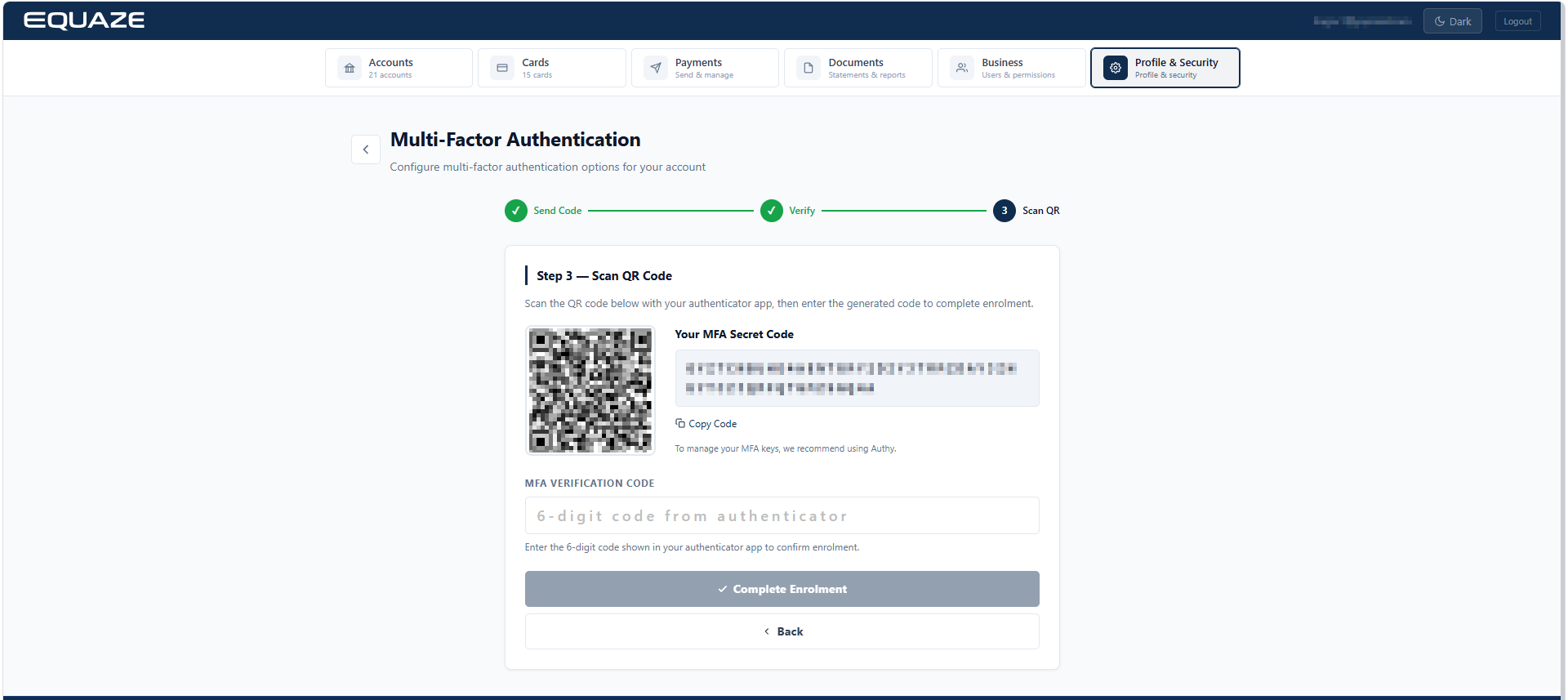
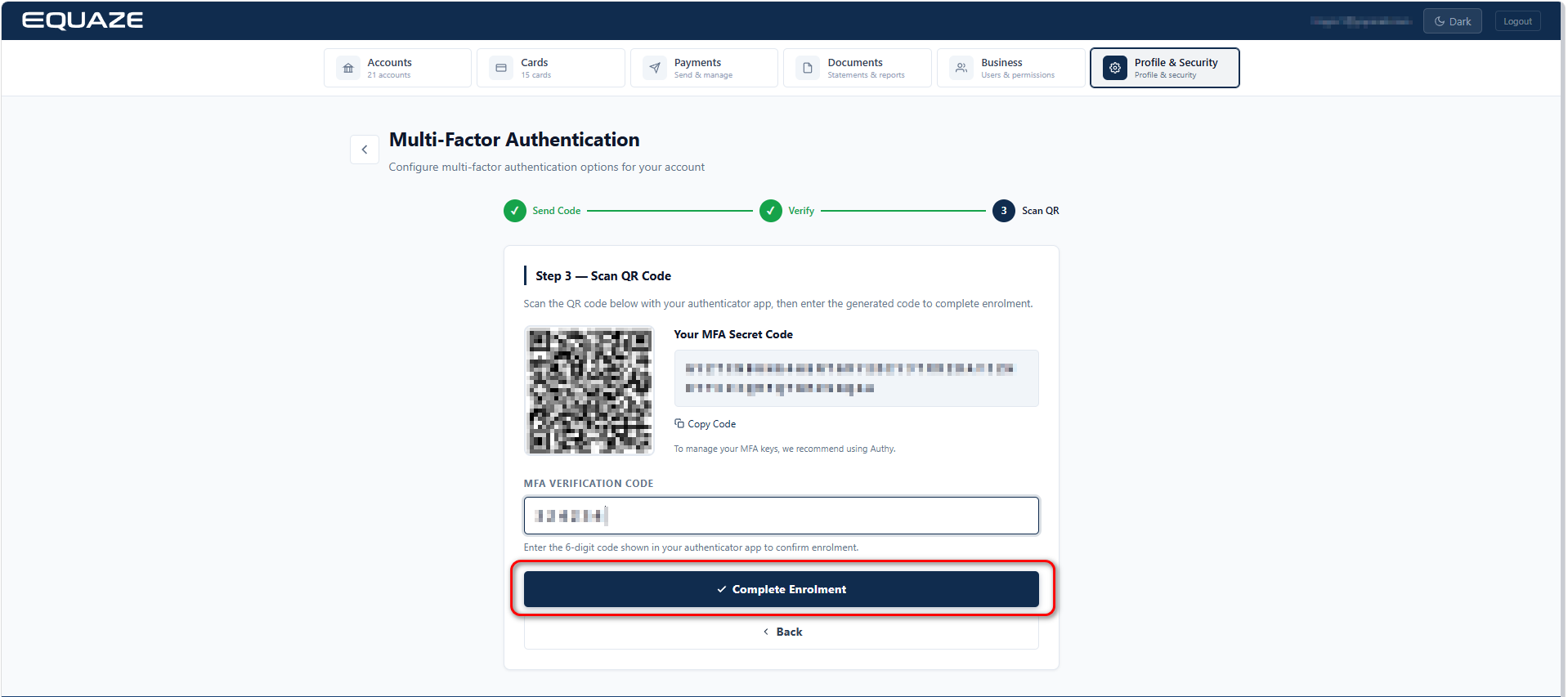
Click “Complete Enrolment” button to validate the MFA Verification Code and complete the process.
A success message confirming “MFA Updated Successfully” will be displayed.