Skip to main content Skip to footer
Equaze Help Documentation

Login & Registration

  • Registering
  • Logging in
  • Password Reset

Account Payments

  • Direct Debit
  • Creating a Beneficiary
  • Bulk Creating Beneficiaries
  • Adding Beneficiary Address
  • Viewing Beneficiary Details
  • Authorising Beneficiary Creation and Updates
  • Deleting a Beneficiary
  • Making a Single Payment
  • Making Bulk Payments
  • Authorising a Payment

Cards

  • Check PIN Code
  • Activate a card account

Transfers

  • Transfer Between Current Accounts in Same Currency
  • Transfer from Current Account to Card

Statements

  • Download Transaction Data Excel
  • Download Billing Statement
  • Download Monthly Statement

User Management

  • PKI Credential User
  • Business Permission Management

Profile Management

  • Security Management
  • Update Password
  • Update SMS Authentication
  • Update Your Multi-Factor Authentication
  • Update Customer Service Security Code
  • Update Access Code
  • Update Card OTP Delivery Method
View Categories
  • Home
  • Guide
  • User Guide
  • Transfers
  • Transfer Between Current Accounts in Same Currency

Transfer Between Current Accounts in Same Currency

Ways to access the transfer funds page

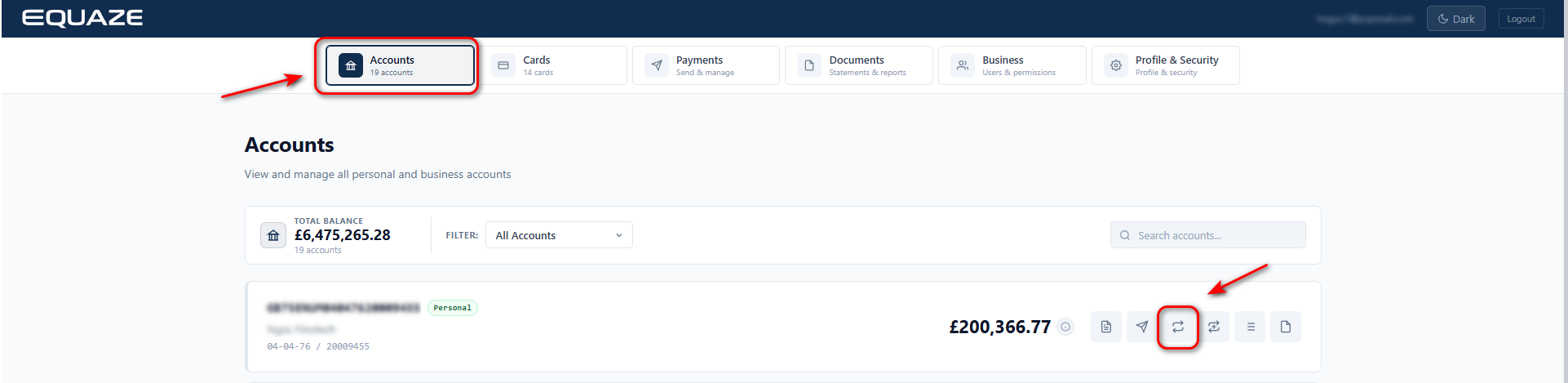
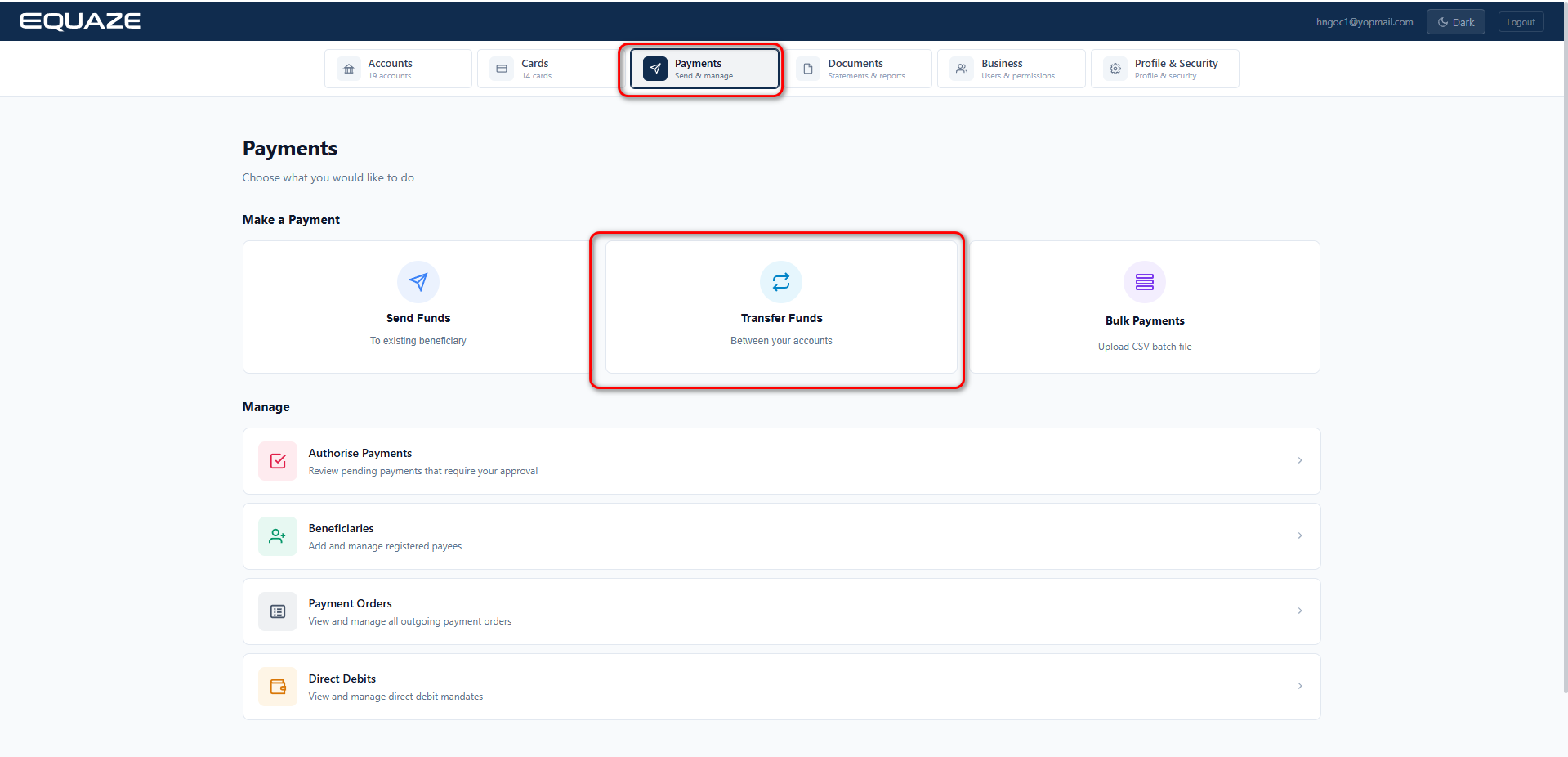
There are two ways to transfer from current accounts to current accounts.

1. On the Accounts screen, select the account to transfer funds from and click the Transfer button to navigate to the Transfer Fund page.
    2. Select Payments and click Transfer to navigate to the Transfer Fund page.
      Select and fill in the required fields to complete the transfer

      On the Transfer Fund page, select the source current account in the Transfer From field and the destination current account in the Transfer To field. Then enter the amount to be transferred.
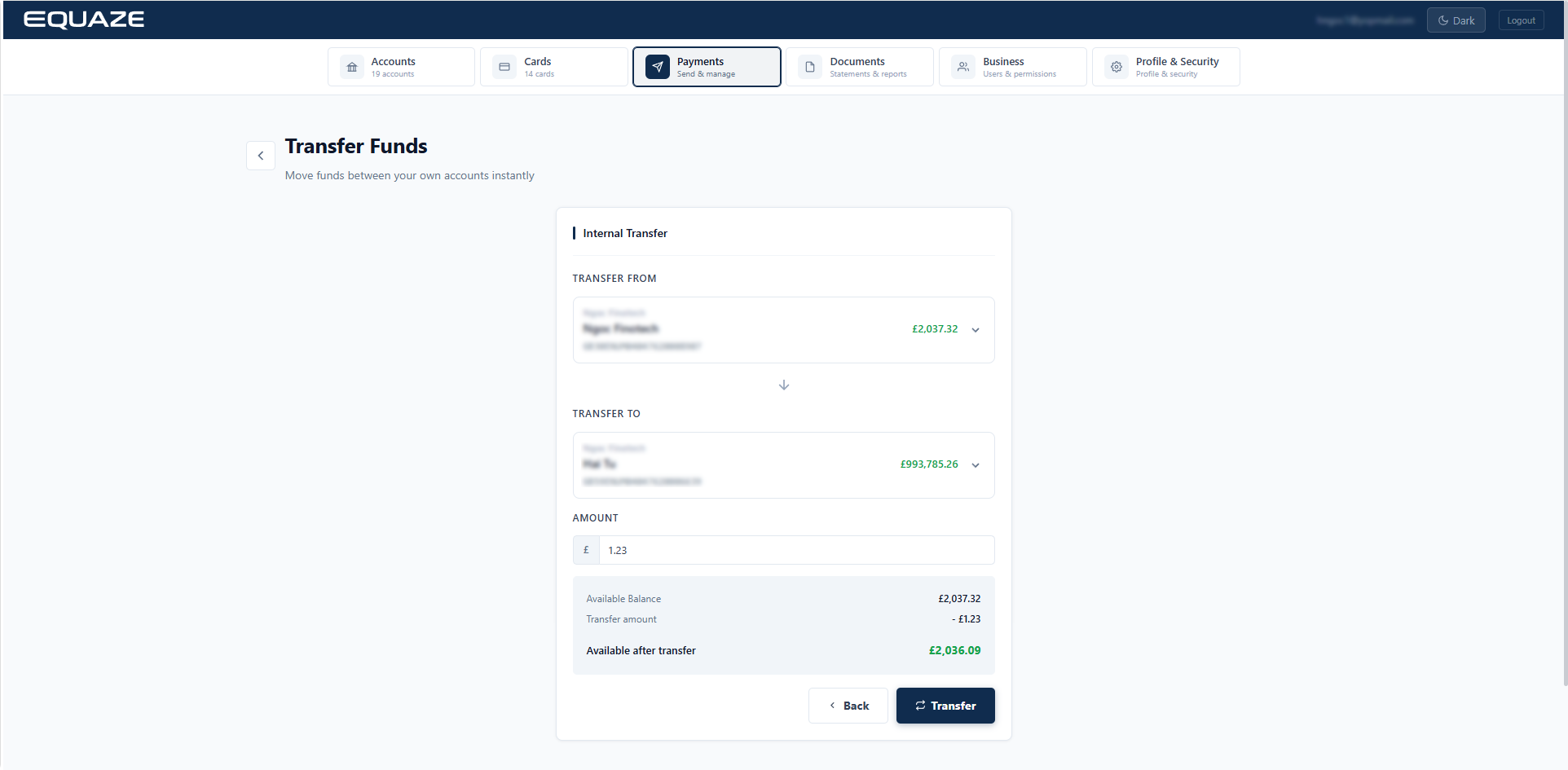
      After entering valid values, click Transfer to complete the transfer process.
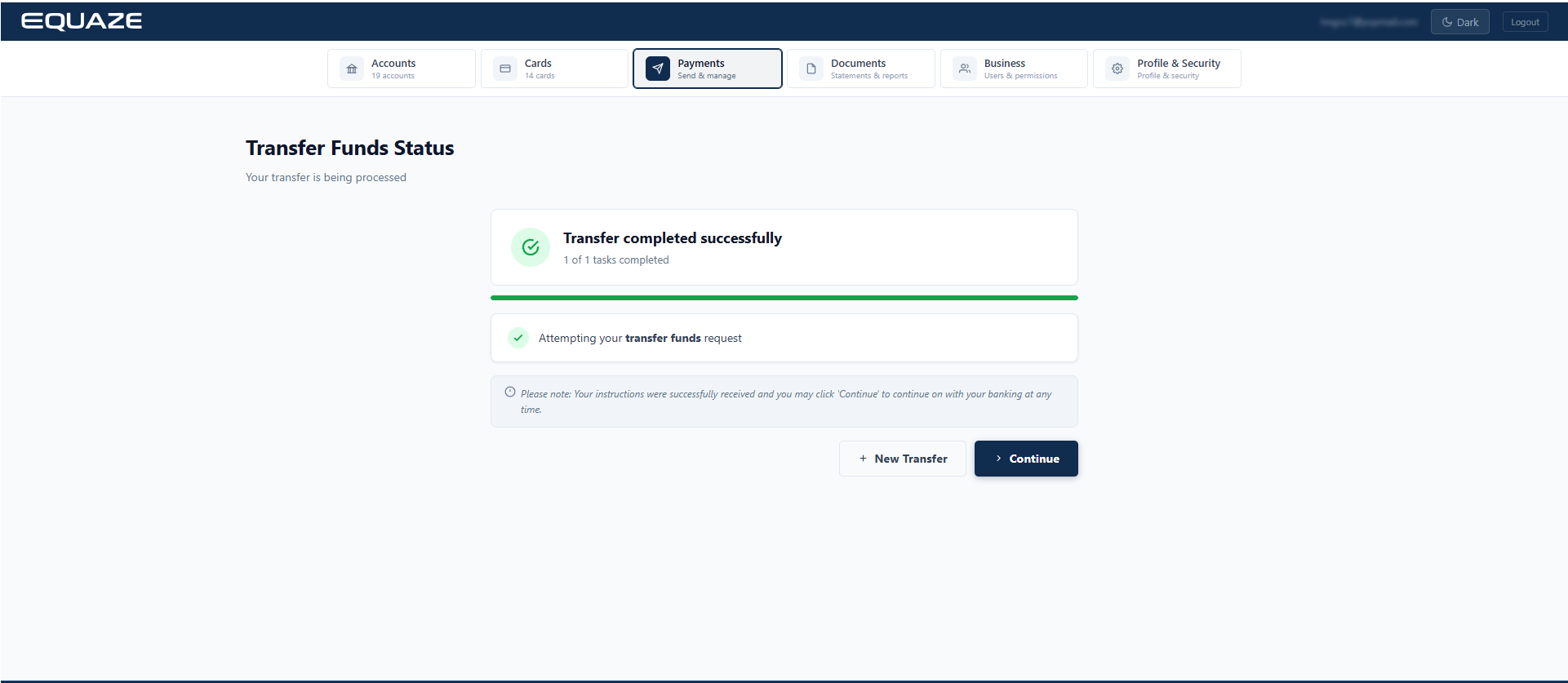
      The user can perform another transfer by clicking the + New Transfer button.

      What are your Feelings

      Share This Article :

      • Facebook
      • X
      • LinkedIn
      • Pinterest
      Table of Contents
      • Ways to access the transfer funds page
      • Select and fill in the required fields to complete the transfer
      "Equaze" is a trading style of Enumis Ltd. Enumis Limited is authorised and regulated by the Financial Conduct Authority as an Electronic Money Institution (FRN 900028) and authorised and regulated by the Financial Conduct Authority for Consumer Credit (FRN 724110) Company Registration E&W 7441513. Enumis Mastercard Products are issued by Enumis Limited pursuant to a license from Mastercard International Incorporated. Mastercard and the Mastercard Brand Mark are registered trademarks of Mastercard International Incorporated.
      Equaze Help Documentation
      © Copyright Equaze