
Access Card OTP Delivery Method Management
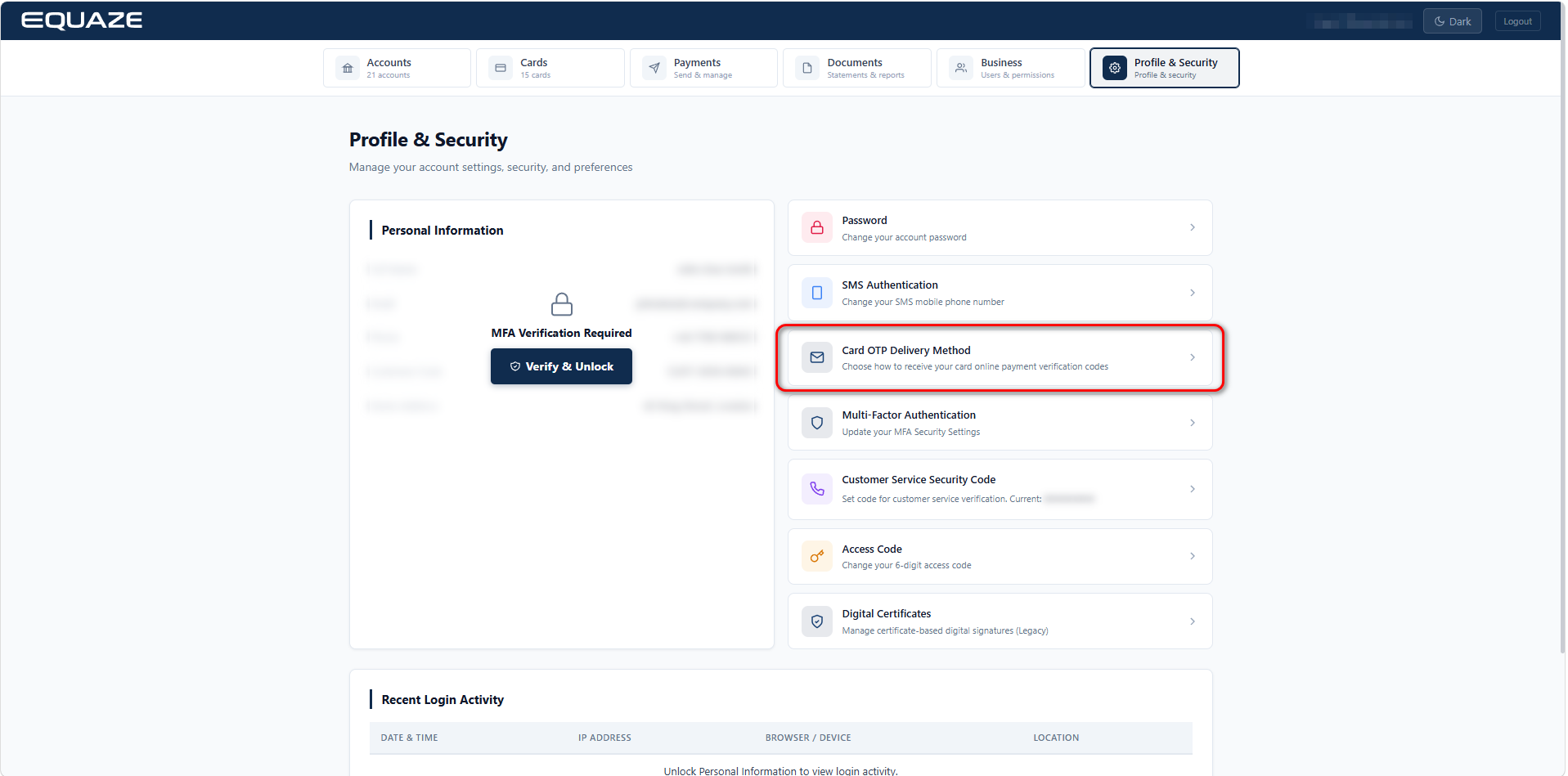
On Profile & Security page, click on Card OTP Delivery Method to view its details.
Update Card OTP Delivery Method
Step 1: The system navigates to the Card OTP Delivery Method page. The currently active delivery method is marked with a green checkmark and labeled with a “Current” tag.

Step 2: The user can select SMS, Email, or both as the delivery method. After selecting the method, the system displays the MFA input field.
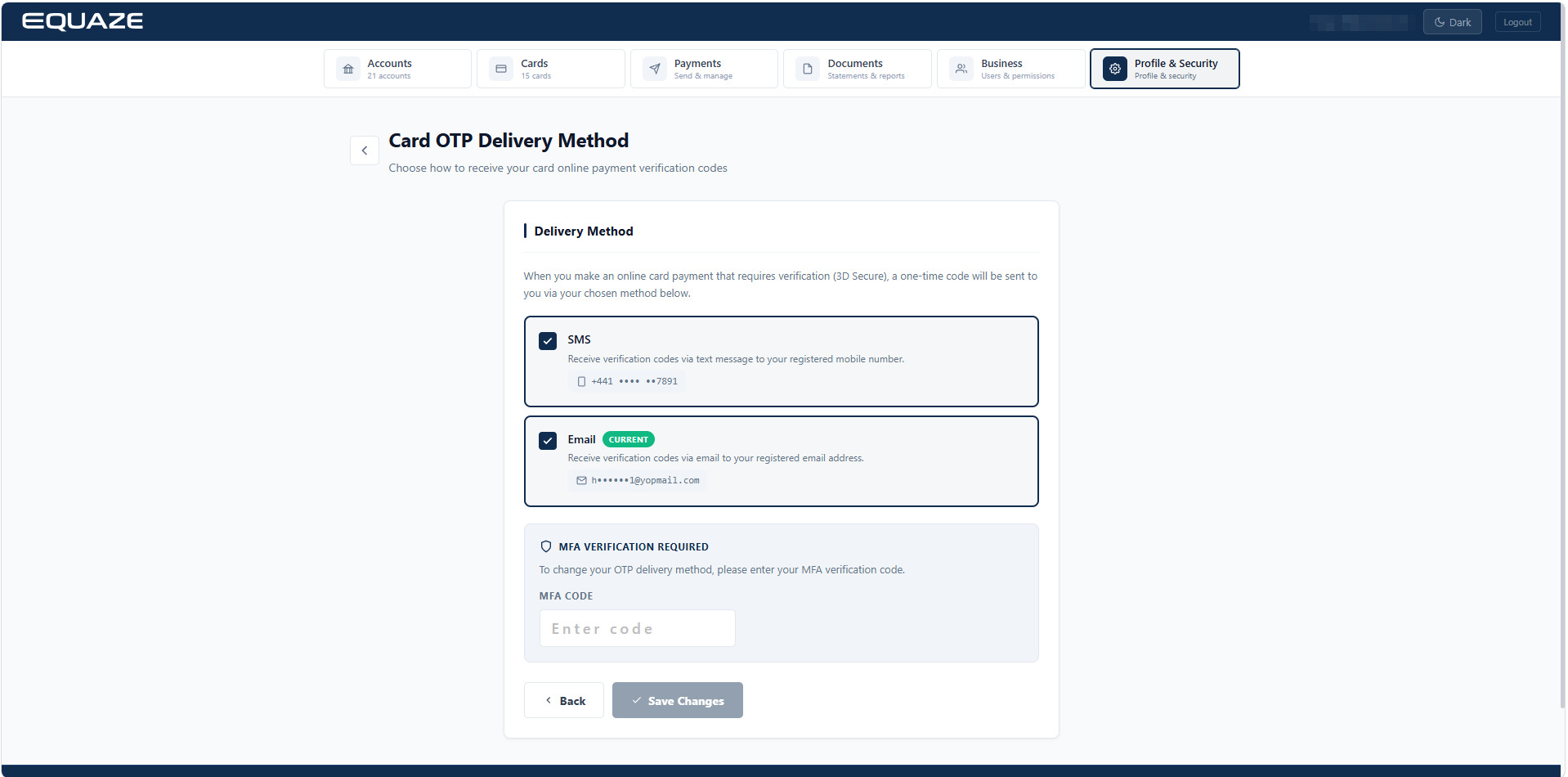
Step 3: The user enters a valid MFA code and clicks Save Changes. The system displays a success message.
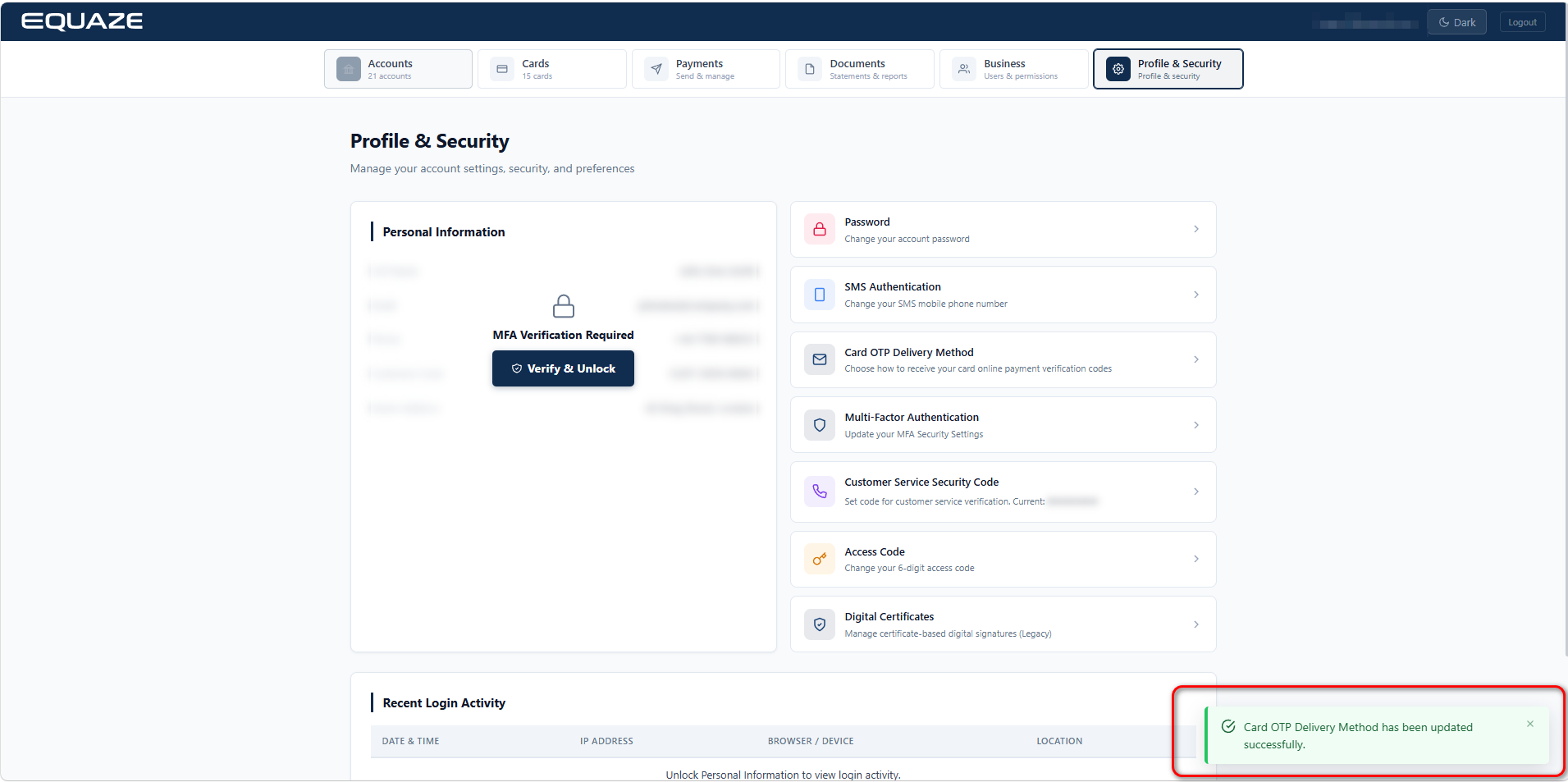
At this point, the Card OTP Delivery Method has been successfully updated.


