
To delete a beneficiary, select the options Payments > Manage Beneficiaries in the menu first.
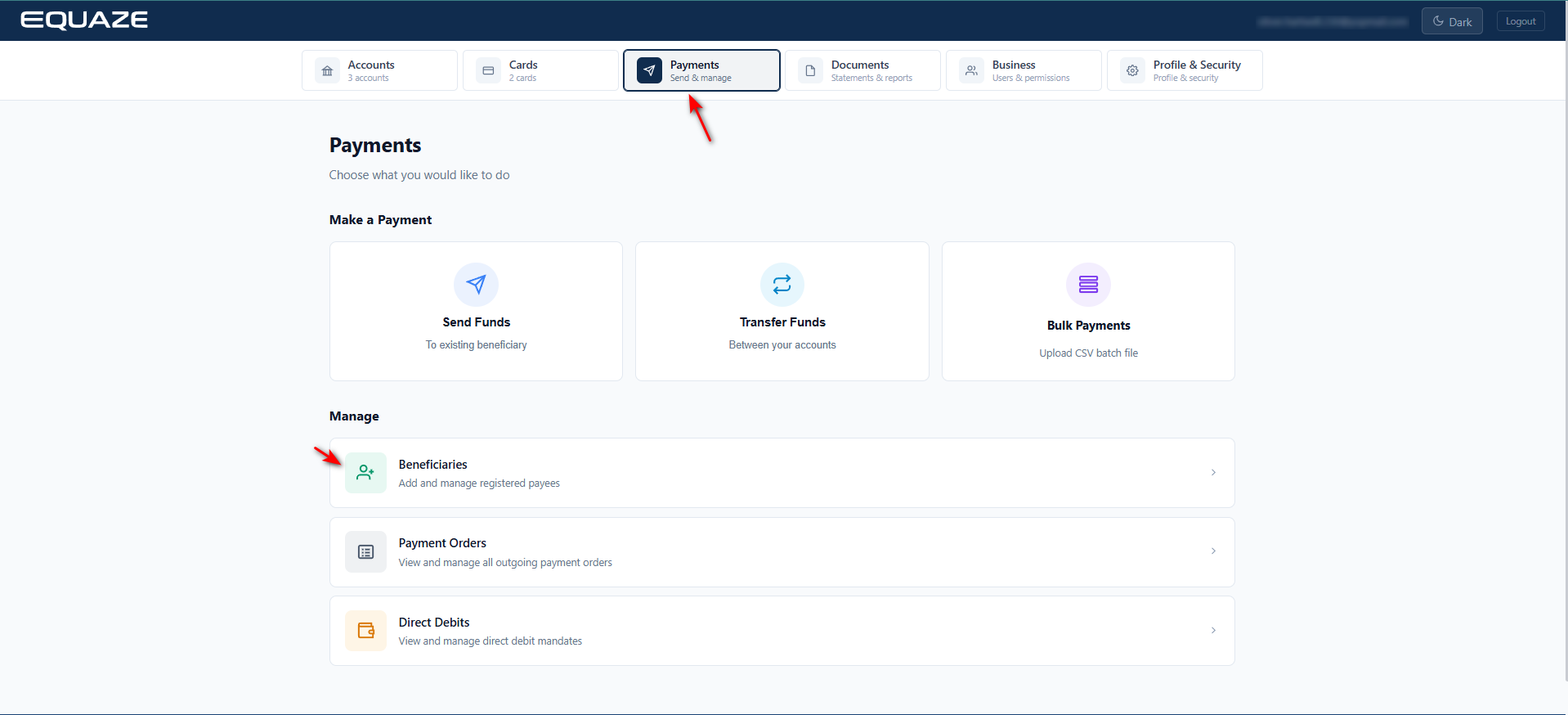
The Manage Beneficiaries page then appears, where you must select an account where the beneficiary you want to delete is associated.
Selecting an Account
In the Select Account dropdown, select the account where your beneficiary is associated. Then, upon selecting, a list of beneficiaries under the specified account appears.
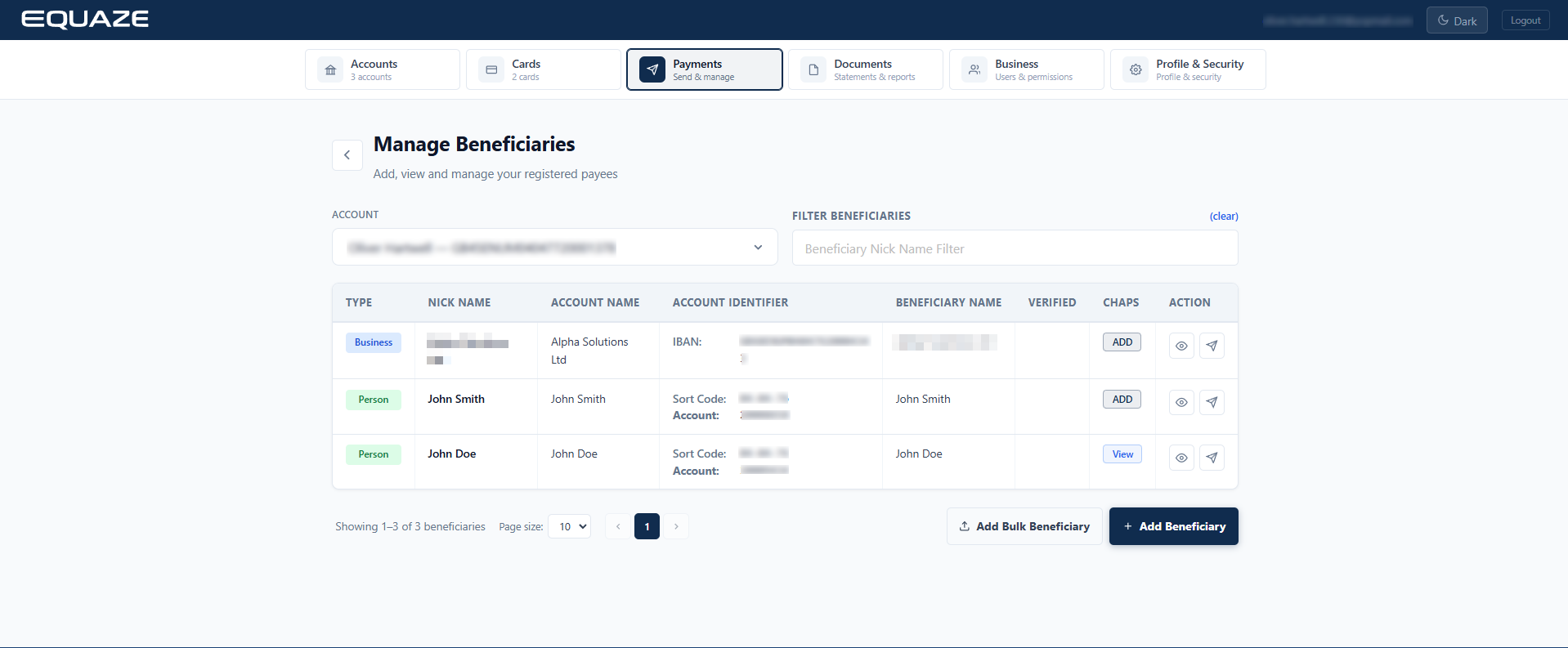
Selecting a Beneficiary
In the list, select the beneficiary you want to delete, and then click the button with the “eye” icon. Doing so opens the Beneficiary Detail page, where you can see the details about the relevant beneficiary and can delete them.
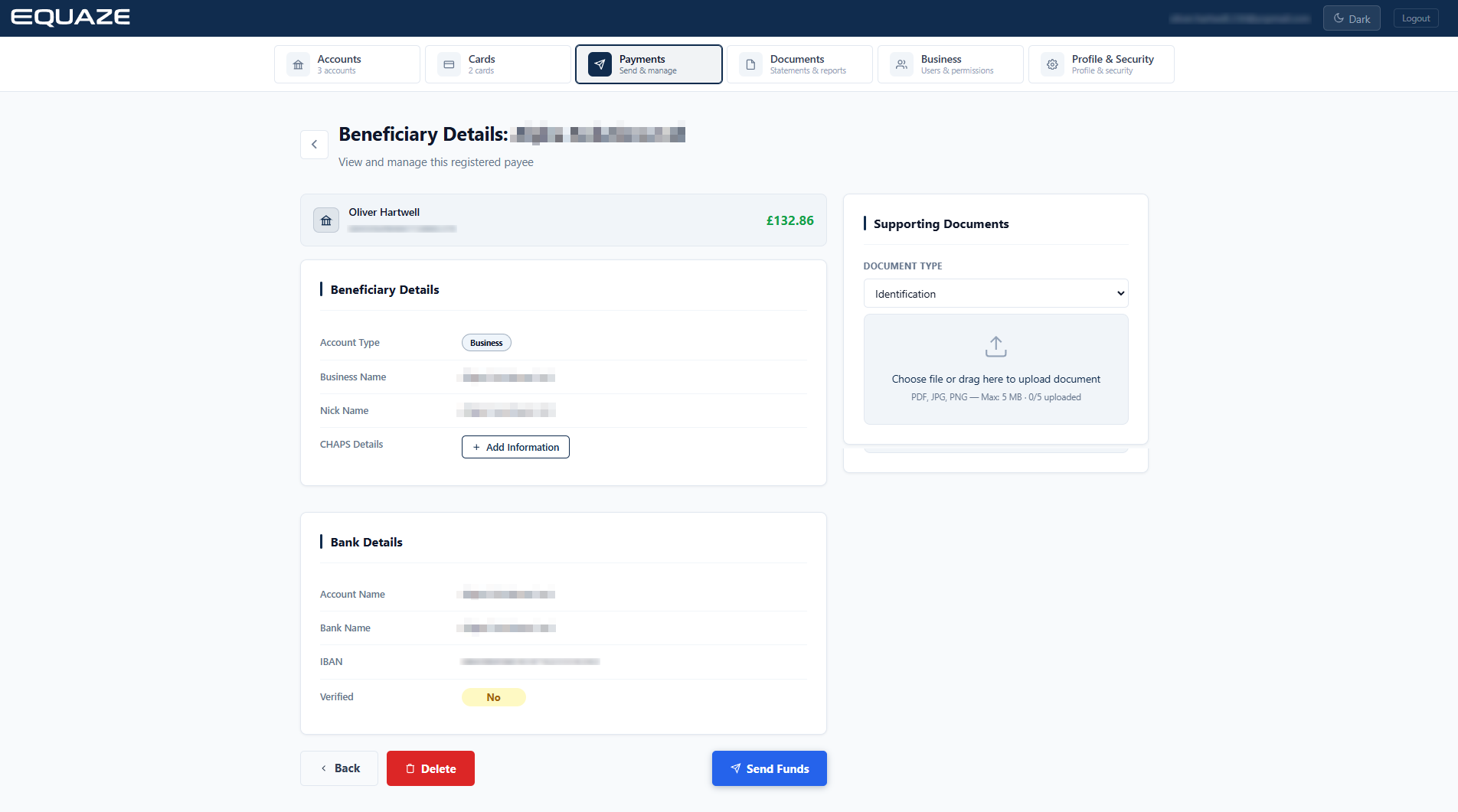
Confirming the Deletion
In the Beneficiary Details page, click Delete to start the deletion process.
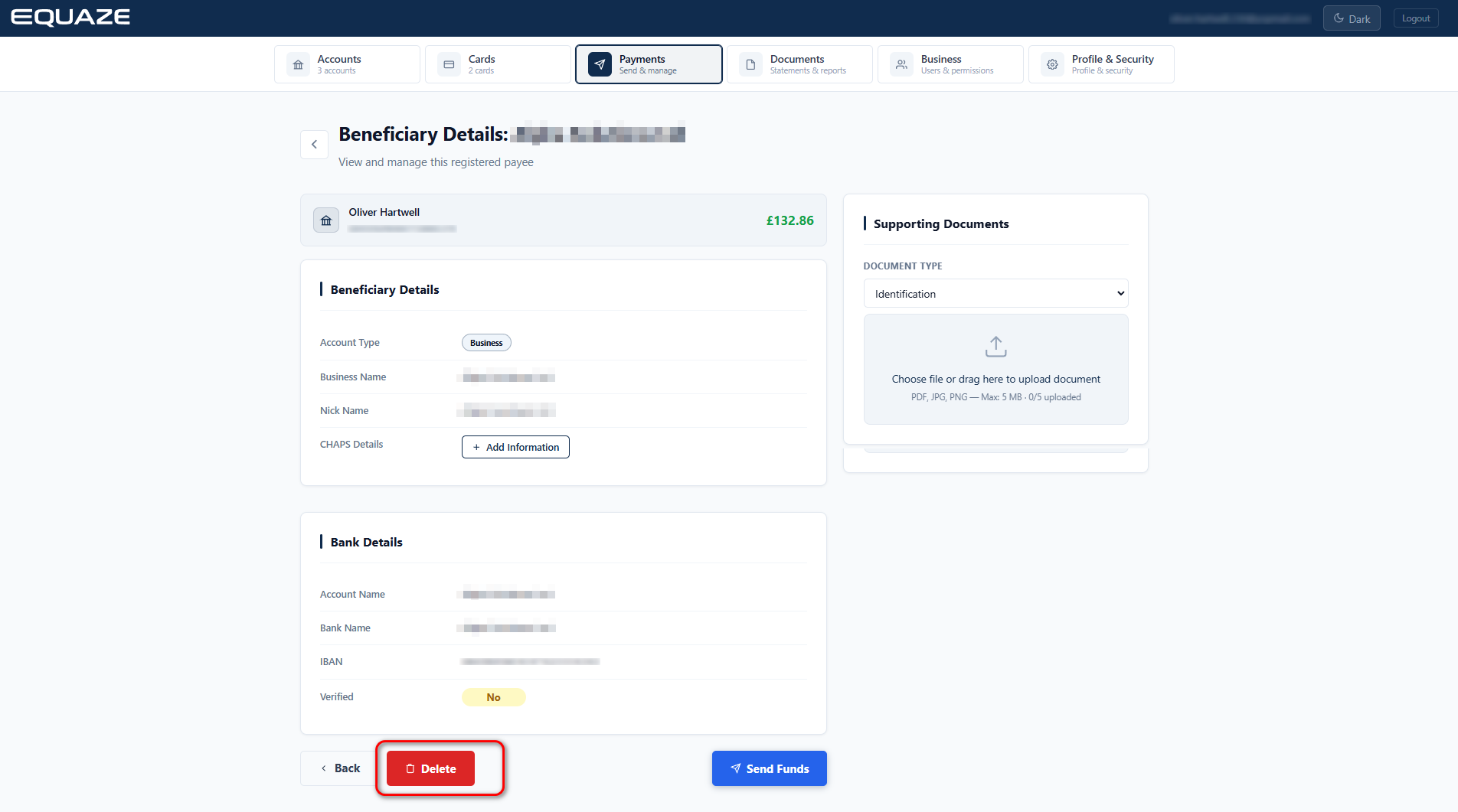
A popup confirm then appears to confirm your choice. Click Delete to finalise your selection and redirect you to the Manage Beneficiaries page.

You can click Cancel if needed.
Note: If you are a non-sole authority user, deleting your beneficiary requires pending approval from a user with authorised permissions. It is pending in our system until the authorised user approves or rejects it. You are not allowed to delete your beneficiary directly.


